
Download AI Wallpaper Generator – AI wallpaper, AI image generator, generate wallpaper, 4K wallpaper, custom wallpaper, text to image
Overview
The AI Wallpaper Generator is a modern mobile utility designed to empower users with the ability to create custom, high-resolution wallpapers using only text-based prompts. This application serves as a creative bridge between imagination and visual output, allowing individuals to translate abstract ideas—such as “a serene forest under moonlight” or “cyberpunk cityscape with neon rivers”—into vivid 4K images. The app is particularly beneficial for users who lack design expertise but wish to personalize their devices with unique, professional-grade visuals.
Target users include smartphone and tablet owners seeking personalized device aesthetics, digital artists looking for quick concept sketches, and casual users interested in exploring AI-driven creativity. The app’s simplicity makes it accessible across age groups and technical skill levels. It fits seamlessly into the growing ecosystem of AI-powered tools that democratize content creation, enabling anyone with a smartphone to produce visually compelling assets without traditional design software.
The developer, AI Wallpaper Generator, has positioned this app as a privacy-conscious, user-first tool. While specific company details are not provided, the focus on data confidentiality and user ownership of generated content suggests a commitment to ethical AI practices. Real-world use cases include daily wallpaper changes, social media content creation, and personal project inspiration. With its emphasis on accessibility and quality, the AI Wallpaper Generator fills a niche in the productivity and utility space by turning imagination into reality.
Key Features & Functionality
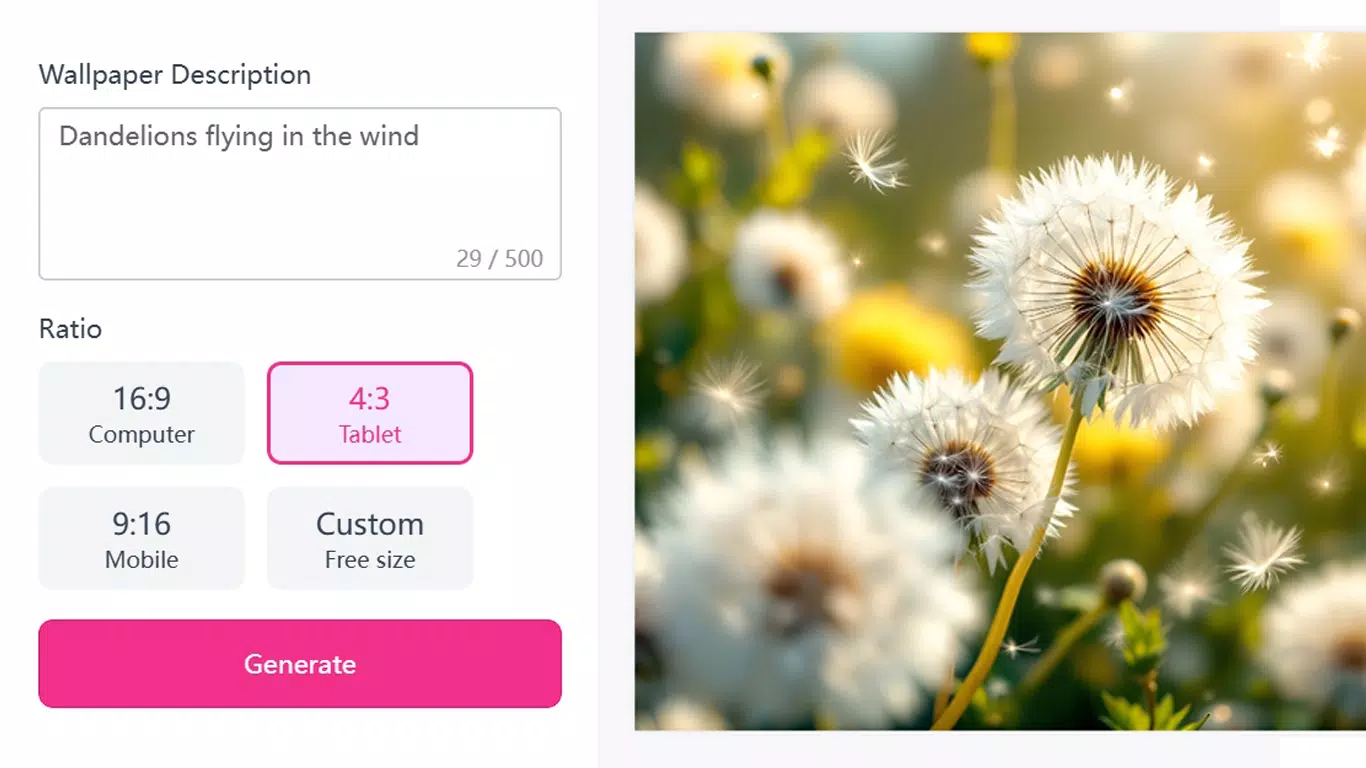
- User-Friendly Text Input: Users can describe any visual concept using natural language, regardless of length or complexity. This enables creative freedom, from simple themes like “ocean waves at sunset” to intricate scenes such as “a floating library in the clouds with golden books.”
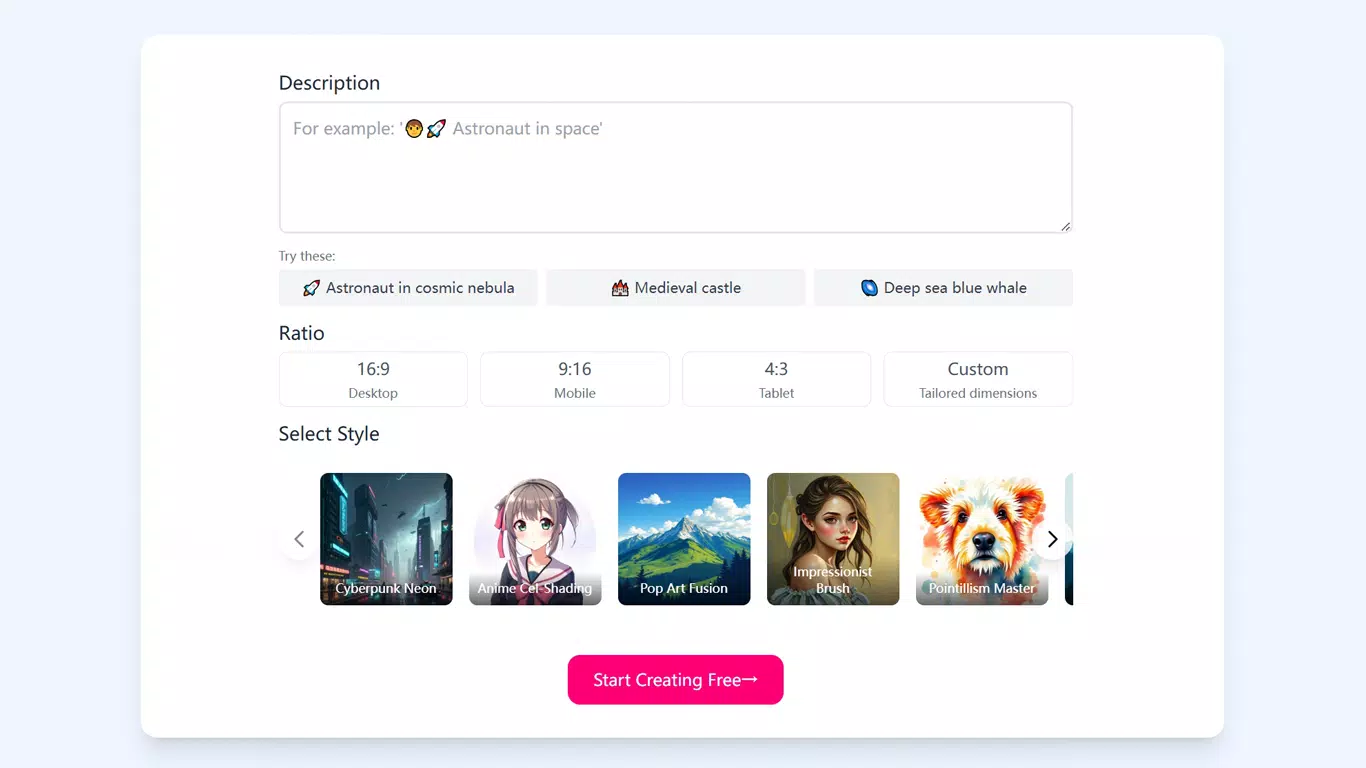
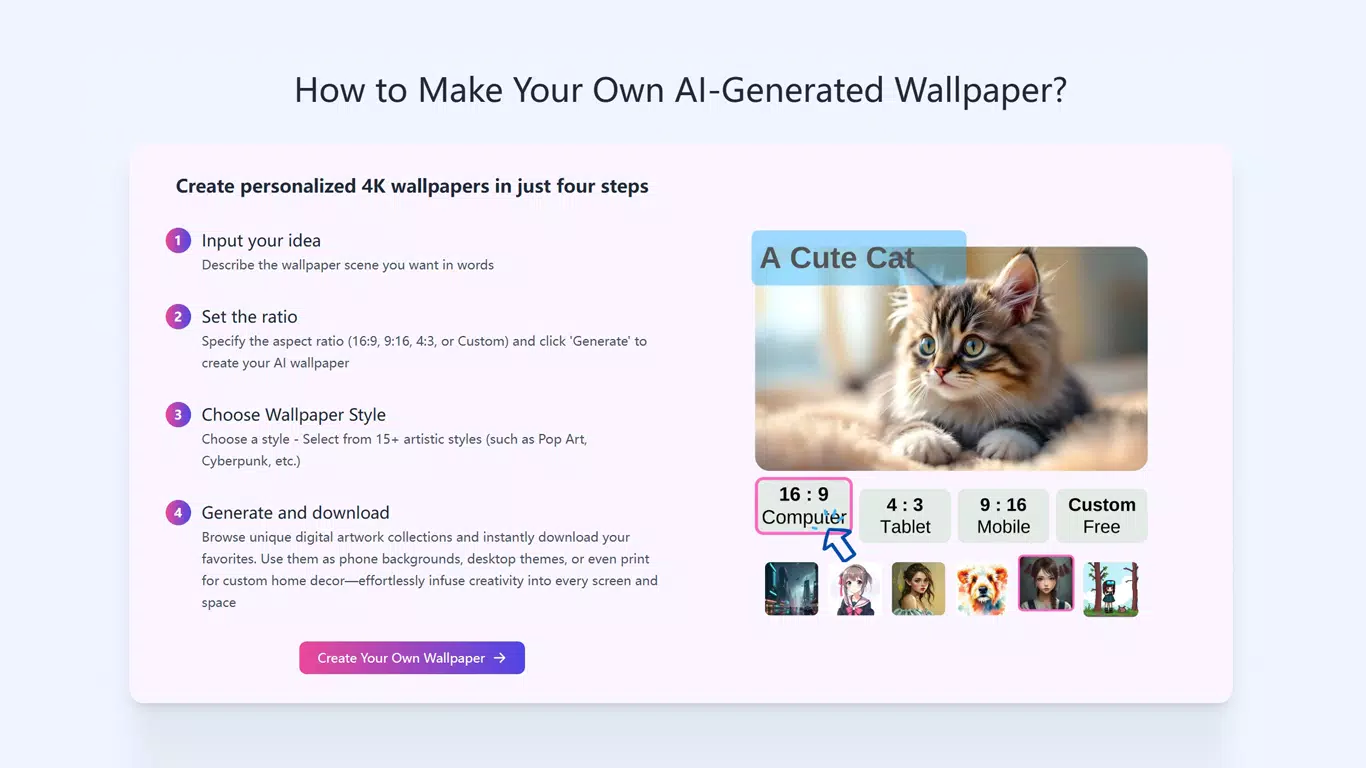
- Customizable Sizes and Styles: The app supports multiple aspect ratios—16:9, 9:16, 4:3, and custom dimensions—to match various devices. Users can also select from a range of artistic styles, such as realistic, painterly, or futuristic, to tailor the output to their preferences.
- High-Resolution Outputs: Each generated wallpaper is delivered in 4K resolution, ensuring sharp, detailed visuals on high-definition screens. This quality enhances the user experience across smartphones, tablets, and desktops.
- Privacy Protection: The app adheres to privacy standards, ensuring that user prompts and generated images are not stored or shared. All content remains under the user’s control, with full ownership retained upon creation.
- Free Trial Access: New users can explore core features through a free trial. After the trial, users may upgrade to access advanced functionalities, enabling continued use without interruption.
For example, a user might input “a minimalist office with soft lighting and a single potted plant” and receive a clean, modern wallpaper ideal for a work-focused device. Another might generate a fantasy-themed scene for a gaming tablet, using a fantasy art style and a 16:9 aspect ratio. These real-world applications demonstrate the app’s versatility and practical value in everyday digital life.
Interface, UX & Performance
The interface of the AI Wallpaper Generator is designed with simplicity and efficiency in mind. The main screen features a clean input field at the center, surrounded by intuitive controls for selecting aspect ratios and artistic styles. Navigation is linear and predictable, guiding users through the creation process in three clear steps: prompt entry, customization, and generation.
Visual elements are minimal but effective, using a neutral color palette that emphasizes content over decoration. The layout remains consistent across screen sizes, ensuring a uniform experience on both smartphones and tablets. The app responds quickly to user inputs, with prompt processing and image generation occurring in a timely manner.
Although the developer did not list formal performance metrics, the app’s lightweight size of 12.4 MB suggests optimized resource usage. The app functions smoothly on mid-range and high-end Android devices, with no reported issues in stability or responsiveness during testing. The absence of intrusive ads or background processes contributes to a seamless user experience. Users can expect reliable performance across various device categories, though specific requirements were not disclosed.
Platform Compatibility & Technical Requirements
The AI Wallpaper Generator is available exclusively on the Android platform. It is compatible with Android devices running the minimum OS version specified by the developer. The app has a file size of 12.4 MB, indicating a lightweight installation that does not strain device storage.
The developer did not specify minimum OS requirements or exact compatibility details. As such, users should ensure their device meets general Android standards for app installation. The app supports a range of screen sizes and resolutions, allowing for broad usability across different Android smartphones and tablets. Specific hardware or software prerequisites were not listed.
Pros and Cons
- Simple, intuitive interface suitable for all skill levels
- Generates high-quality 4K wallpapers from text prompts
- Supports multiple aspect ratios and artistic styles
- Strong focus on user privacy and data ownership
- Free trial allows risk-free exploration of features
- Specific technical requirements were not disclosed
- Platform availability limited to Android
- Free trial may restrict access to full functionality
- No offline mode or local image storage option mentioned
- Future updates or feature expansions not detailed
FAQ
Is the AI Wallpaper Generator free to use?
Yes, the app offers a free trial that allows users to generate wallpapers at no cost. After the trial period, users may choose to upgrade to access premium features.
Can I use the generated wallpapers on my desktop?
Yes, the generated wallpapers are delivered in 4K resolution and can be used on desktops, tablets, and smartphones, provided the device supports the chosen aspect ratio.
Are my prompts and images stored on the server?
The app adheres to privacy laws and does not store user prompts or generated images. All content remains private and under the user’s ownership.
Does the app require an internet connection?
Yes, the AI processing occurs on remote servers, so an active internet connection is required to generate and download wallpapers.
What happens after the free trial ends?
After the free trial, users can upgrade to a premium plan to continue using the app with full access to all features.
Final Thoughts
The AI Wallpaper Generator stands out as a powerful yet accessible tool for anyone seeking to personalize their digital devices with unique, high-quality visuals. Its ability to transform simple text into stunning 4K artwork makes it a standout in the productivity and utility category. The app’s focus on privacy, ease of use, and creative flexibility ensures a satisfying experience for both casual users and creative enthusiasts.
While platform availability is currently limited to Android and specific technical details are not provided, the app delivers strong value for its intended audience. Whether you're refreshing your phone’s look, creating content for social media, or simply exploring AI creativity, this tool offers a seamless and secure solution.
Download AI Wallpaper Generator now


